> ## Documentation Index
> Fetch the complete documentation index at: https://greatquestion.co/support/llms.txt
> Use this file to discover all available pages before exploring further.
# Great Question Teams
> Organize members into Teams to scope access to studies, candidates, and repository content, and allocate incentive budgets per team.
Teams let groups of members collaborate on research together, with their own access controls, incentive budgets, and branding.
## What are Teams?
Teams are a workspace organizational feature, available on Enterprise plans. They provide scope and access control for studies, candidates, and repository artifacts, so different groups can work in parallel without stepping on each other's research.
## Why it matters
**Control who sees what.** Teams govern access to studies, candidates, and repository materials, so sensitive research stays with the people who need it.
**Give teams their own budget.** Team Wallets let Admins allocate incentive funding per team with dedicated budgets.
**Keep branding on-point.** Each team can set its own participant-facing branding, which overrides the account default for that team.
## Visibility modes
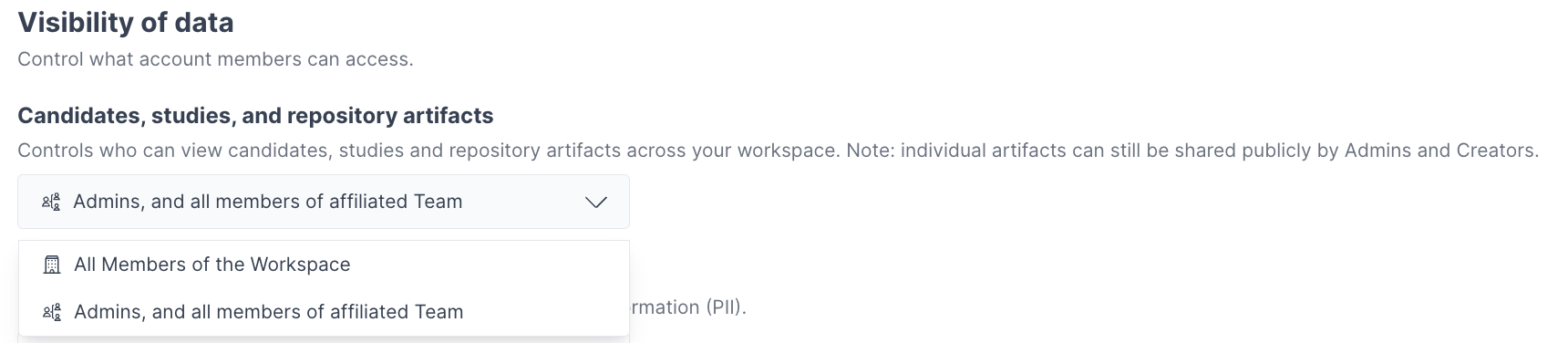
Teams operate in one of two visibility modes, set at the account level under **Candidates, studies, and repository artifacts** on the [Permissions page](https://greatquestion.co/governance/permissions) for Visibility of data:
* **Open mode** (default) — dropdown option **All Members of the Workspace**. All members can view resources across teams, but editing is limited to their own team's resources.
* **Private mode** — dropdown option **Admins, and all members of affiliated Team**. Members see only their own team's work, plus any workspace-affiliated resources.
 ## How access is scoped by resource
Team scoping works a little differently depending on the resource:
* **Studies** are either **team-affiliated** (visible to that team and Admins) or **workspace-affiliated** (visible to everyone).
* **Candidates** can belong to one or more teams. A candidate with no team can only be contacted or edited if your account allows open contact access; otherwise, team membership controls who can reach out to them.
* **Repository artifacts** (highlights, insights, reels) can be tagged to one or more teams to scope their visibility.
Team-affiliated candidates and studies are visible to members of that team and to Admins.
## Creating and managing Teams
Only Admins can create teams.
1. Click the **+** button next to **Your Teams**, or open the [**Teams**](https://greatquestion.co/teams) page.
2. Enter a team name, icon, and color.
3. Add workspace members by name.
4. Save the team.
## How access is scoped by resource
Team scoping works a little differently depending on the resource:
* **Studies** are either **team-affiliated** (visible to that team and Admins) or **workspace-affiliated** (visible to everyone).
* **Candidates** can belong to one or more teams. A candidate with no team can only be contacted or edited if your account allows open contact access; otherwise, team membership controls who can reach out to them.
* **Repository artifacts** (highlights, insights, reels) can be tagged to one or more teams to scope their visibility.
Team-affiliated candidates and studies are visible to members of that team and to Admins.
## Creating and managing Teams
Only Admins can create teams.
1. Click the **+** button next to **Your Teams**, or open the [**Teams**](https://greatquestion.co/teams) page.
2. Enter a team name, icon, and color.
3. Add workspace members by name.
4. Save the team.
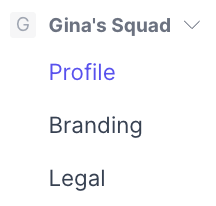
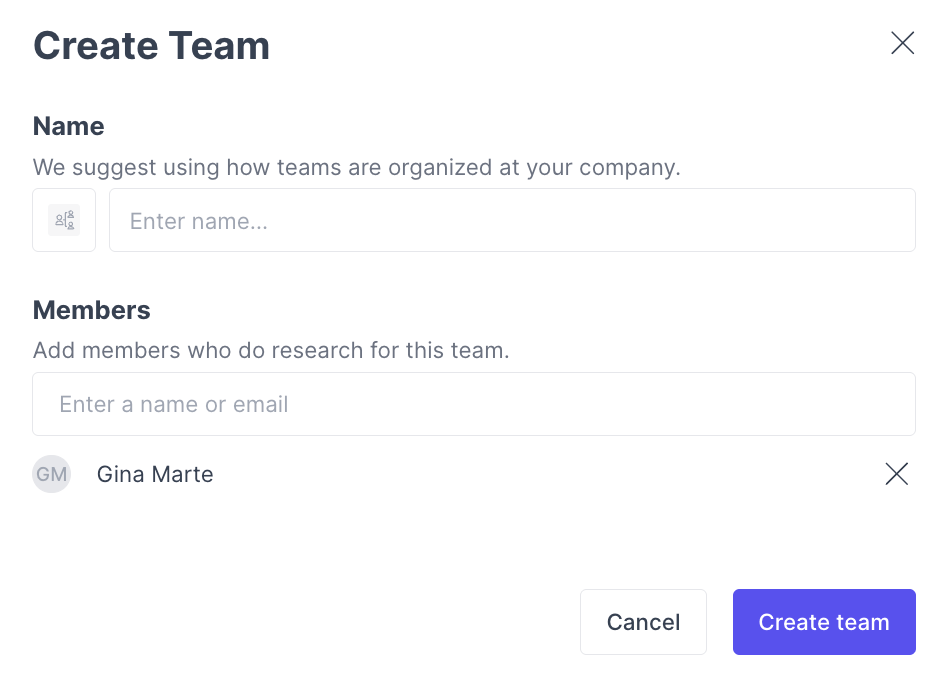 Members can belong to multiple teams. New teams default to **Self-join allowed**; an Admin can switch this to **Admin-added only** from the team's **Profile** page after the team is created (see **Join access** below). Any member of a team, not just Admins, can add or remove other members from that team.
 ## Join access
Each team has a **Join Access** setting that controls how members get into it — not who can see the team's data (that's the [visibility modes](#visibility-modes) above).
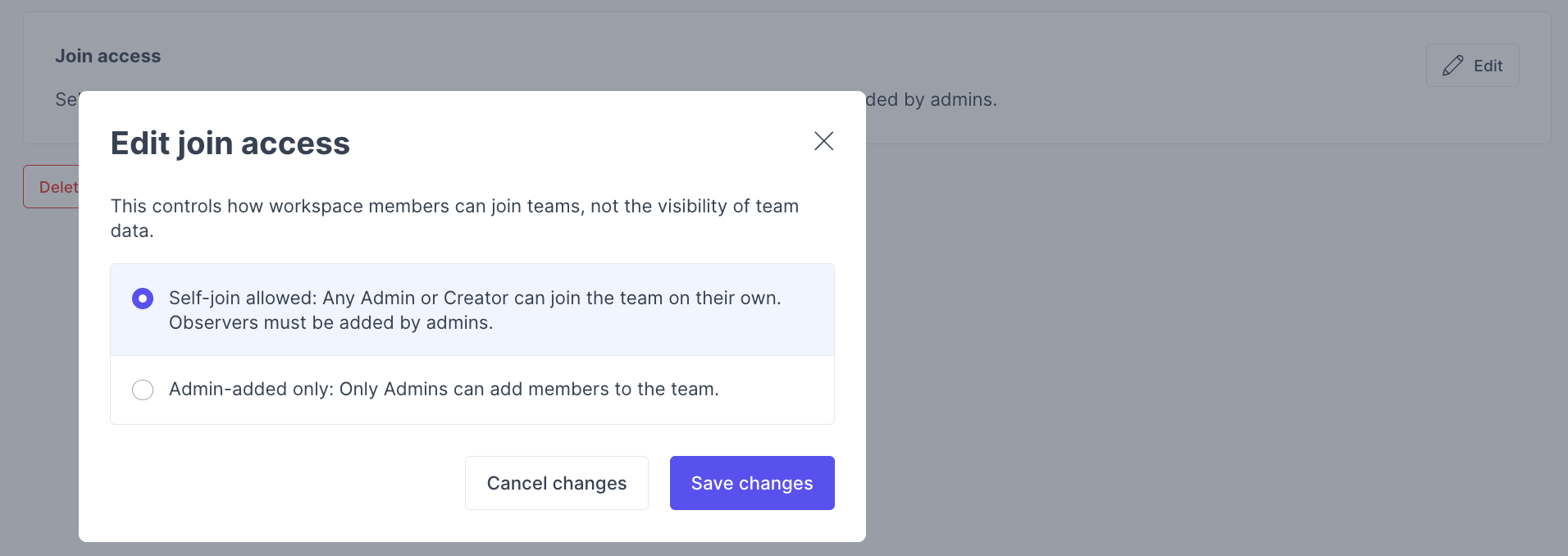
* **Self-join allowed** (default) — Any Admin or Creator can join the team on their own, from the **Teams** page. Observers must still be added by an Admin.
* **Admin-added only** — Only Admins can add members; self-join is turned off for everyone else.
Admins can always join any team, regardless of this setting.
To change it, open the team's profile page and find the **Join Access** card. Click **Edit**, choose **Self-join allowed** or **Admin-added only** in the **Edit join access** dialog, and save.
\[Screenshot: The team profile page's "Join Access" card, and the "Edit join access" modal with its two options]
Members join or leave teams from the **Teams** page, using the **Join Team** / **Leave Team** button on each row. If **Join Team** is greyed out, hovering explains why, either this setting restricts it, or the team is managed by your identity provider (see Troubleshooting).
A team can't be deleted while it still has studies or candidates associated with it. Reassign or remove those first.
## Permissions
| Action | Observers | Creators | Admins |
| --------------------------- | -------------------- | ----------------------- | --------- |
| View Team resources | If visibility allows | If visibility allows | Always |
| Edit Team studies | No | Own teams only | All teams |
| Create studies | No | Own teams only | Any team |
| Add or remove other members | No | No | Any team |
| Join or leave a team (self) | No | If self-join is allowed | Always |
## Team Wallets
When Team Wallets are enabled, each team receives a dedicated wallet for incentives, while workspace studies draw from the main wallet. Admins can transfer funds between wallets under **Settings → [Wallets](https://greatquestion.co/wallet/wallets)**.
## Troubleshooting
| Issue | What's happening | How to fix |
| --------------------------------------------------------------------------------------- | ---------------------------------------------------------------------------------- | --------------------------------------------------------------------------------------------------- |
| A team member can't contact a candidate | The candidate isn't affiliated with that member's team | Confirm the candidate's team affiliation, or have an Admin add the correct team |
| I can't move a study between teams | Moving studies between teams requires the right permissions | Only Admins can move studies across teams; Creators can manage studies within their own teams |
| A team's incentives aren't drawing from the right budget | The study may be workspace-affiliated rather than team-affiliated | Check the study's affiliation, and confirm the team's wallet is funded under **Settings → Wallets** |
| I can't delete a team | The team still has studies or candidates associated with it | Reassign or remove those first, then delete the team |
| A member managed by our identity provider can't be added to or removed from a team here | Team membership for SCIM-provisioned users is controlled by your identity provider | Make the change in your identity provider instead |
| I can't join a team myself | The team is set to **Admin-added only**, or it's SCIM-managed | Ask an Admin to add you, or check your identity provider if the team is IdP-managed |
***
## Join access
Each team has a **Join Access** setting that controls how members get into it — not who can see the team's data (that's the [visibility modes](#visibility-modes) above).
* **Self-join allowed** (default) — Any Admin or Creator can join the team on their own, from the **Teams** page. Observers must still be added by an Admin.
* **Admin-added only** — Only Admins can add members; self-join is turned off for everyone else.
Admins can always join any team, regardless of this setting.
To change it, open the team's profile page and find the **Join Access** card. Click **Edit**, choose **Self-join allowed** or **Admin-added only** in the **Edit join access** dialog, and save.
\[Screenshot: The team profile page's "Join Access" card, and the "Edit join access" modal with its two options]
Members join or leave teams from the **Teams** page, using the **Join Team** / **Leave Team** button on each row. If **Join Team** is greyed out, hovering explains why, either this setting restricts it, or the team is managed by your identity provider (see Troubleshooting).
A team can't be deleted while it still has studies or candidates associated with it. Reassign or remove those first.
## Permissions
| Action | Observers | Creators | Admins |
| --------------------------- | -------------------- | ----------------------- | --------- |
| View Team resources | If visibility allows | If visibility allows | Always |
| Edit Team studies | No | Own teams only | All teams |
| Create studies | No | Own teams only | Any team |
| Add or remove other members | No | No | Any team |
| Join or leave a team (self) | No | If self-join is allowed | Always |
## Team Wallets
When Team Wallets are enabled, each team receives a dedicated wallet for incentives, while workspace studies draw from the main wallet. Admins can transfer funds between wallets under **Settings → [Wallets](https://greatquestion.co/wallet/wallets)**.
## Troubleshooting
| Issue | What's happening | How to fix |
| --------------------------------------------------------------------------------------- | ---------------------------------------------------------------------------------- | --------------------------------------------------------------------------------------------------- |
| A team member can't contact a candidate | The candidate isn't affiliated with that member's team | Confirm the candidate's team affiliation, or have an Admin add the correct team |
| I can't move a study between teams | Moving studies between teams requires the right permissions | Only Admins can move studies across teams; Creators can manage studies within their own teams |
| A team's incentives aren't drawing from the right budget | The study may be workspace-affiliated rather than team-affiliated | Check the study's affiliation, and confirm the team's wallet is funded under **Settings → Wallets** |
| I can't delete a team | The team still has studies or candidates associated with it | Reassign or remove those first, then delete the team |
| A member managed by our identity provider can't be added to or removed from a team here | Team membership for SCIM-provisioned users is controlled by your identity provider | Make the change in your identity provider instead |
| I can't join a team myself | The team is set to **Admin-added only**, or it's SCIM-managed | Ask an Admin to add you, or check your identity provider if the team is IdP-managed |
***