

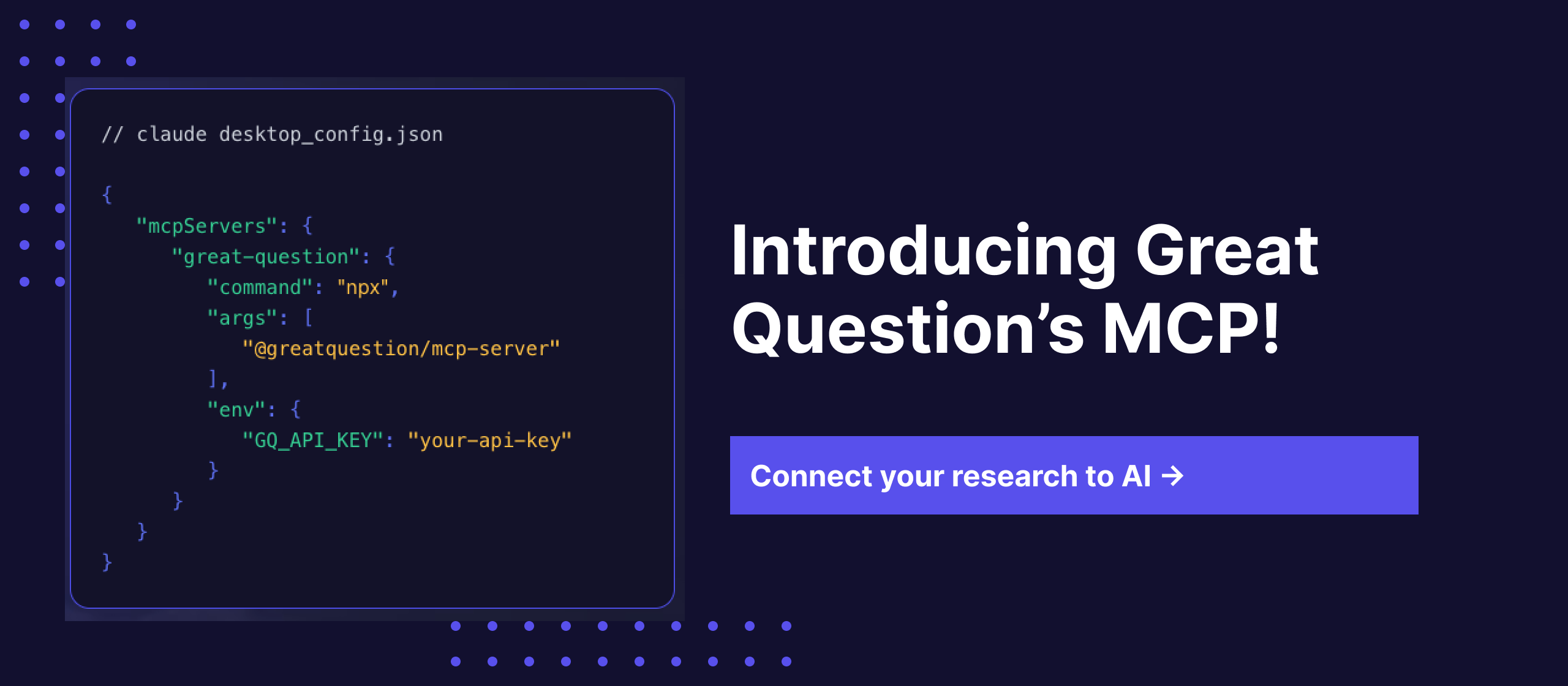
There's a workflow a lot of research teams have quietly landed on. Open Claude, paste in a transcript, get some analysis, close the tab. Then do it again for the next session. It gets the job done, but it's not exactly what anyone had in mind when AI started getting genuinely useful for research work.
The issue isn't the tool. It's that your AI doesn't have access to your research. It can work with whatever you put in front of it, but it has no idea what your users said last quarter, what themes kept coming up across your last dozen studies, or what the connection is between the complaints in Q1 and the retention drop you're staring at now. That context sits in Great Question. And until now, those two things couldn't talk to each other.
Today they can.
Great Question now has a native MCP server.
MCP (Model Context Protocol) is the open standard Anthropic introduced to let AI tools connect directly to external platforms in real time. Think of it as a live bridge between your AI and any tool it's been given access to. Instead of pasting context manually, your AI can query it directly: on demand, mid-conversation, without you doing anything.
Connect your Great Question account to Claude Desktop, Claude.ai, ChatGPT, Cursor, Gemini, Co Pilot, or any MCP-compatible AI, authorize via your browser, and start asking.
Your existing role-based permissions apply automatically. SOC 2 Type II certified.
We ran a live workshop with our MCP below ⬇️
When we opened the early access waitlist, and loads of teams signed up. The use cases they described were consistent enough that they shaped exactly what we built.
The most common thing people wrote on the waitlist: "I want to query all our past interviews on a topic and get the actual insights back."
That's now possible. Ask your AI "Summarize everything we know about friction in the onboarding flow" and instead of searching its own training data, it searches your actual repository — sessions, transcripts, highlights, across every study you've ever run.
The time difference is real. Prepping for a stakeholder meeting used to mean opening Great Question, finding the right study, reading through transcripts, and synthesizing by hand - 20+ minutes of work. Now you ask Claude to pull a study and summarize the key pain points. You have a structured briefing in 30 seconds.
One Head of Product described what he was doing before: downloading transcripts one by one and pasting them into Claude individually. "It would be so cool," he wrote, "to just query the whole set of past interviews." That's exactly what this does.
Product managers at Brex, Gusto, and ServiceNow are already using Great Question to run research with their own customers. The MCP means that research can now flow directly into the tools where decisions get made.
"Find all interviews where users mentioned friction with checkout, then help me write the problem statement for my Q2 PRD" — that's now a single conversation. Not three tabs, two exports, and a lot of copy-pasting.
Teams without a full-time researcher can use this to close the gap between customer signals and product decisions. The MCP takes that further - research accessible to everyone on the product team, not just the people who ran the studies.
A Sr. Director of Product Design put it plainly on the waitlist: "We want to be able to chat with our research repository."
Designers can now ask "Find usability issues from our last three prototype tests on form inputs" and get back real quotes from real sessions, while they're in Figma, while they're in a design review, without opening a new tab.
When your VP asks what customers said about a feature, you get the answer in 30 seconds without leaving your workflow. Research stops being something you go and look for. It starts showing up when you need it.
Synthesizing themes across multiple studies has always been one of the most time-consuming parts of research work. A ResearchOps Principal described using Claude Code for this - pulling in whole transcripts, removing PII, running synthesis manually. A ReOps lead had gone further, connecting Great Question's API directly to Claude Code in the terminal and training it as a "research librarian."
The MCP makes that available to any team, without terminal access or custom engineering. Connect once, then ask: "What are the consistent pain points across all studies about the settings page over the last six months?" Your AI synthesizes across the repository, not from memory, from your actual data.
The quality of what comes back depends on what's in your repository. Teams with well-structured, consistently tagged research get sharper answers. If you've been running studies in Great Question for a while, you're already in good shape.
The AI synthesizes and surfaces. You decide what matters and what to do about it. That's still the job, and it should be.
Research data often includes participant names, email addresses, phone numbers, and other personally identifiable information. When that data flows through an MCP connection into an AI tool, you need to know it's being handled properly.
We added a dedicated MCP Privacy panel in your AI Preferences. There's a single toggle called "Hide PII via MCP" that, when enabled, automatically redacts all personally identifiable information from candidate data before it reaches any MCP integration. Names, emails, phone numbers, anything that could identify a participant gets stripped out before your AI ever sees it.
This is on by default. If your team's workflow requires participant-level detail (for example, if you're doing your own internal analysis and your security team has approved it), an admin can turn it off. But for most teams, especially those in regulated industries or working with external participants, the default setting means you can use the MCP connection without worrying about PII leaking into an AI tool's context window.
Your existing role-based permissions still apply on top of this. The PII toggle is an additional layer, not a replacement for access controls.
Product teams make decisions every day. Roadmap calls, design reviews, sprint planning, stakeholder updates. In most of those moments, customer research isn't in the room. Not because it doesn't exist, but because pulling it up takes enough effort that nobody bothers.
Companies are doing the research. Research and decisions just happen in separate workflows, and the gap between them is where customer insight disappears.
When your AI can query your research repository mid-PRD, mid-design review, mid-Slack thread, that gap closes. Customer evidence becomes as easy to reference as a Google Doc. Brex went from single-digit participation in research to 100+ people across the company running their own studies after consolidating onto Great Question. The MCP takes that further — customer insight that doesn't require you to go looking for it, because it's there wherever you're already working.
The full setup guide is at greatquestion.co/features/mcp-integration, or you can visit our support documentation. Existing customers can connect today, no engineering support required.
Not yet on Great Question? Request a demo and we'll walk you through the full workflow, including how teams are already using it in some of the most impressive product organizations today.
What is MCP? Model Context Protocol is an open standard from Anthropic that lets AI tools like Claude connect directly to external platforms in real time. Instead of copying and pasting content into your AI, MCP creates a live connection so the AI can query your tools on demand.
Which AI tools does this work with? Claude Desktop, Claude.ai, ChatGPT, Cursor, and any MCP-compatible AI. The list is growing quickly as MCP becomes the standard for AI integrations.
Do I need engineering support to set it up? No. Setup requires only your Great Question login and a one-line command to add the server. No API keys, no code beyond that.
What data can my AI access? Studies, sessions, transcripts, highlights, insights, and participant data — subject to your existing Great Question permissions. Role-based access controls apply automatically.
Is this secure? Yes. OAuth 2.0 authentication. SOC 2 Type II certified. Your data is not used to train any AI model.
What about participant PII? Great Question includes a "Hide PII via MCP" setting in your AI Preferences. When enabled (it's on by default), all personally identifiable information is automatically redacted from candidate data before it reaches any MCP integration. Your admin can adjust this in the MCP Privacy panel.
Can my AI create studies? V1 focuses on read access — search, surface, and synthesize across your research repository. Study creation via MCP is in development. We'll update this page when it's available.



Tania Clarke is a B2B SaaS product marketer focused on using customer research and market insight to shape positioning, messaging, and go-to-market strategy.




